Global Search Design Exploration
Oct 20, 2021
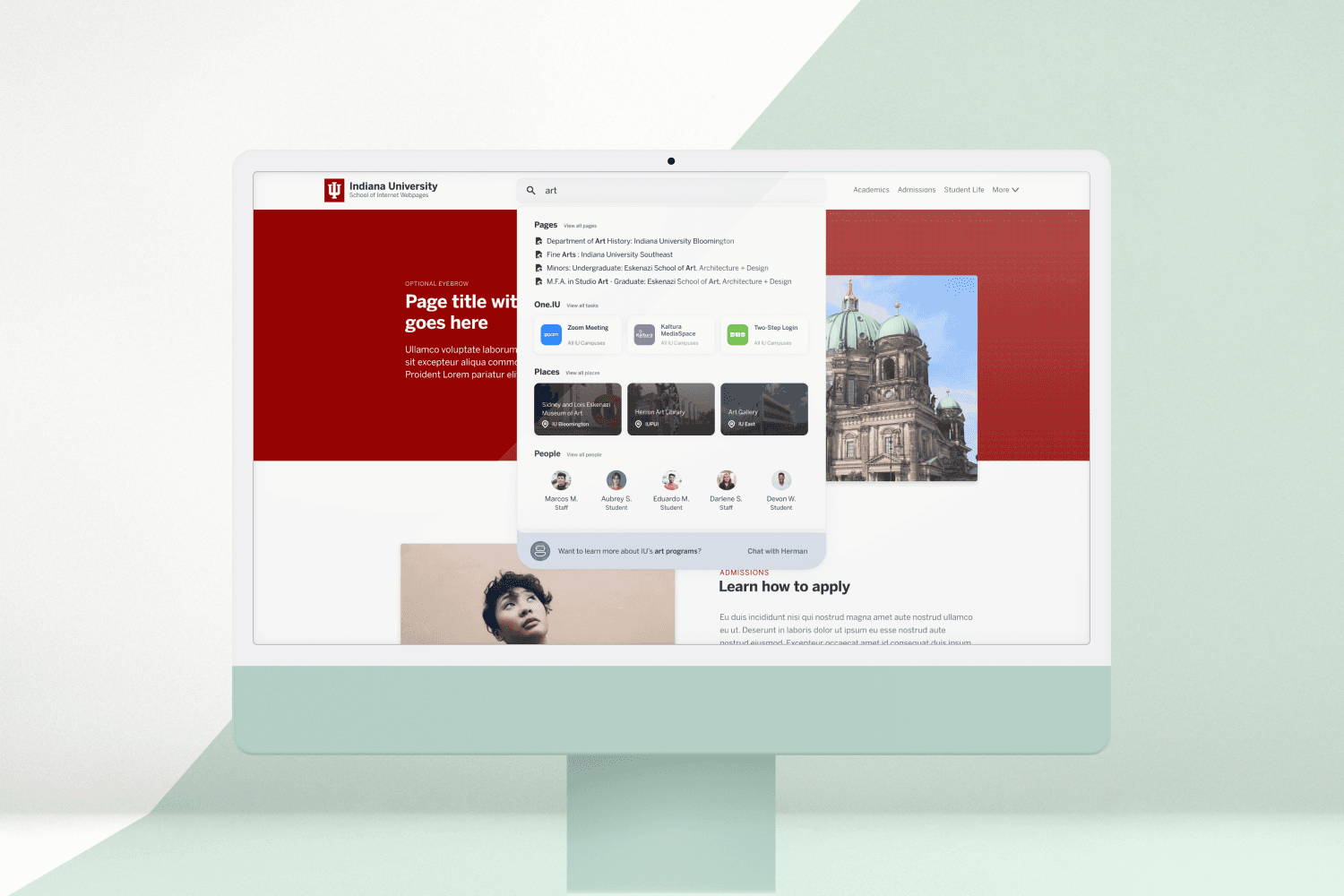
In 2021, amidst Indiana University’s Gateway refresh project, I worked with UX Officer Brian Hawkins and Design System Lead Levi McGranahan on an exploratory design of a new site search concept.
This project served as a proof of concept for future iterations of global search. The idea for an improved search experience emerged as we explored ways to enhance online interactions for students and other visitors.
Search is one of the most important elements of large websites. It allows users to complete tasks quickly and efficiently, reducing friction and frustration along the way. A well-designed search experience helps people find what they need without unnecessary barriers.
At the time, IU relied on Google Site Search, which provided generic and uncategorized results. Our initial design focused on surfacing suggestions and categorizing results in a more meaningful way.

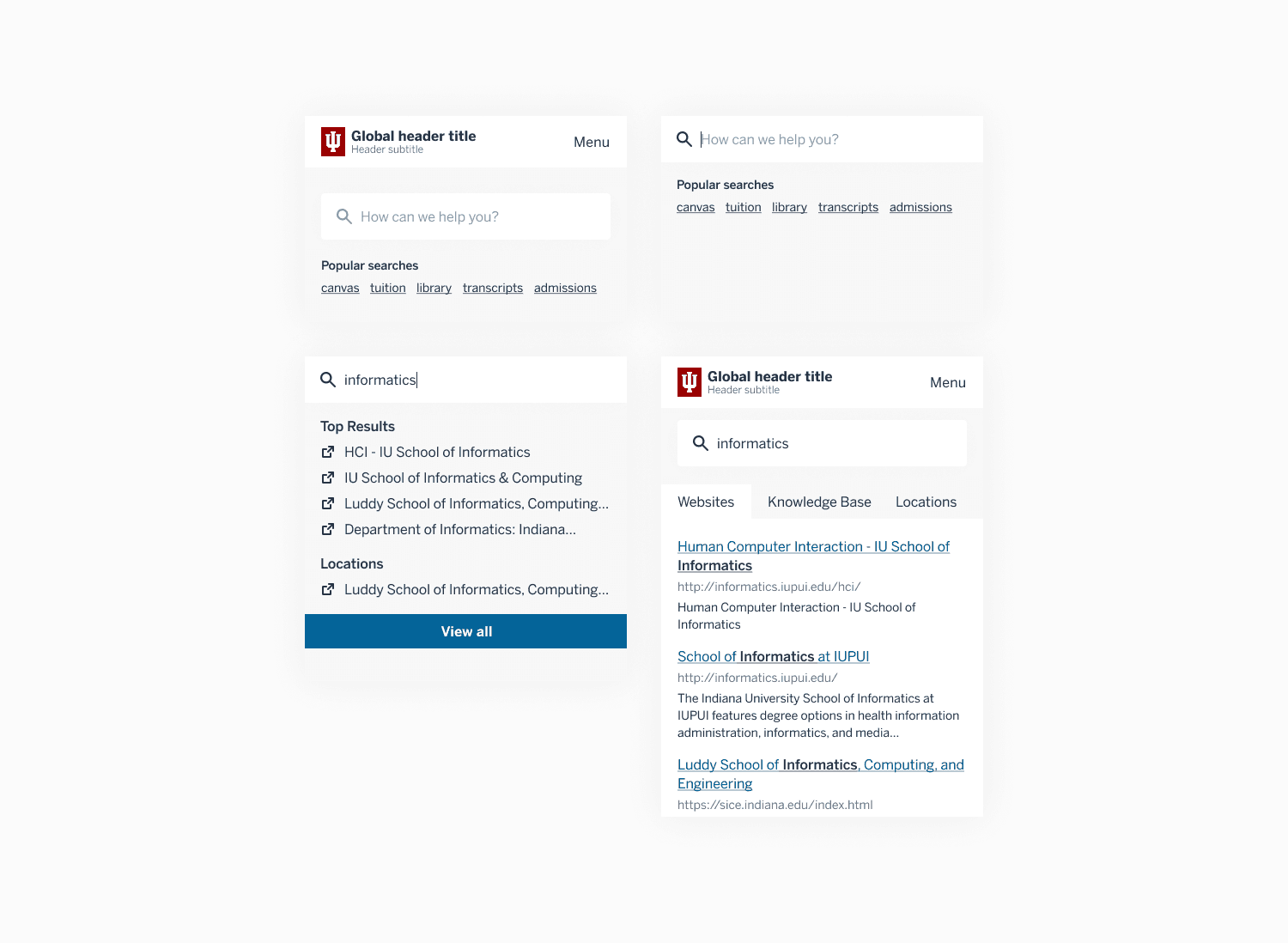
We started with IU’s homepage — the most visited page across the university. Because this is where most task-oriented searches begin, it made sense to introduce a full-width search section. Along with the search bar, users could see top searches and suggested terms from the university.
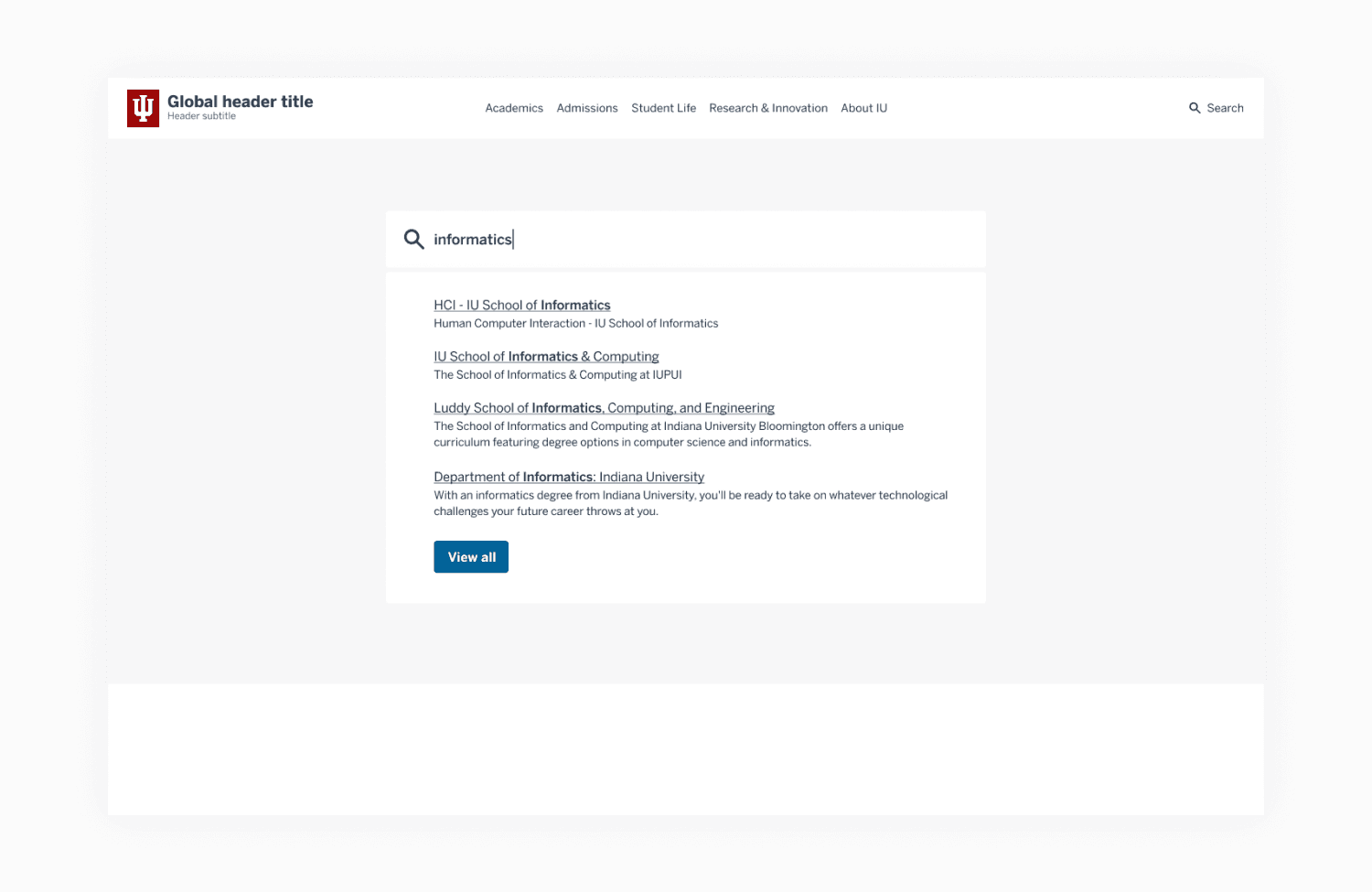
Providing real-time feedback was also essential. Not only does it reduce the time users spend searching, but it also helps them refine or correct queries on the fly.

Search results were categorized by source, with tabs allowing users to toggle between different result types. I intentionally avoided adding a scoped filter within the search bar. In this context, the number of categories was limited, and scoped search would have only slowed users down. Generally, the less users have to think while completing a task, the better.
Aiming for the "true north"
We then asked: what would the ideal search experience look like?
Our early explorations focused on a single page, but a truly universal experience would need to be consistent across IU’s entire web ecosystem. This led to iterations within the global header — a persistent element on every IU webpage. By integrating search here, we could create a seamless, coherent experience across the university’s websites.

(Note: the bot dialogue shown below the main search window was from a separate exploratory project by another design team. They were experimenting with conversational UI through “Herman,” a virtual assistant prototype.)
Designing for better UX through better visuals
Visual design is sometimes dismissed as “just making things pretty,” but in practice, it’s a critical part of UX. Effective visuals guide users, reduce cognitive load, and create clarity.

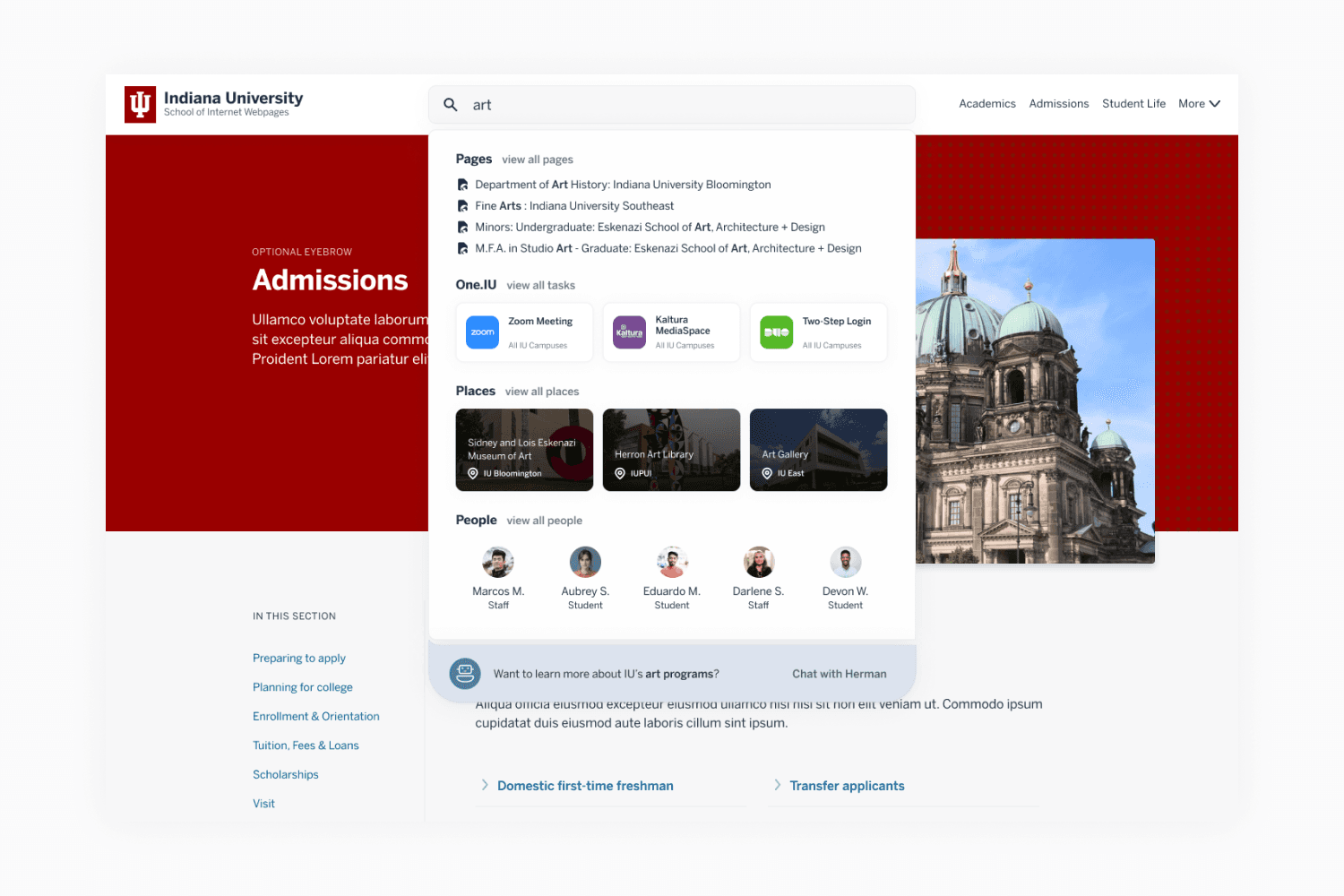
In my final deliverable to stakeholders, I addressed a recurring issue in previous designs: lack of visual separation. By introducing additional visual elements, I made it easier for users to scan and distinguish between different types of results.
At a glance, users could now identify distinct content types without reading every line. For example:
One.IU applications were displayed as cards, consistent with their presentation in the One.IU system (used daily by students, faculty, and staff).
Location results appeared as cards with pin icons.
Profile results were visually distinct with familiar patterns.
These familiar UI patterns not only created consistency but also reduced effort, making the overall search experience faster and more intuitive.