
Google Play Music Redesign
Feb 21, 2018

Spotify has long been the leader in music streaming. I’d always wanted to give Apple Music and Google Play Music a try, and three months ago, Google made a promotional offer: three months of Google Play Music for free. I gave it a shot, but as the trial ends, I’m switching back to Spotify. Here’s why—and how Google Play Music could rebrand itself into a stronger product.
Navigation within the app is a mess.
Many apps have shifted to bottom navigation instead of Android’s traditional hamburger menu, especially as phone screens have grown larger. Google itself added bottom navigation to Android’s app design guidelines and even updated YouTube accordingly. Yet, after years of updates, Play Music still clings to a hamburger menu, offering a clunky, inconsistent navigation experience.
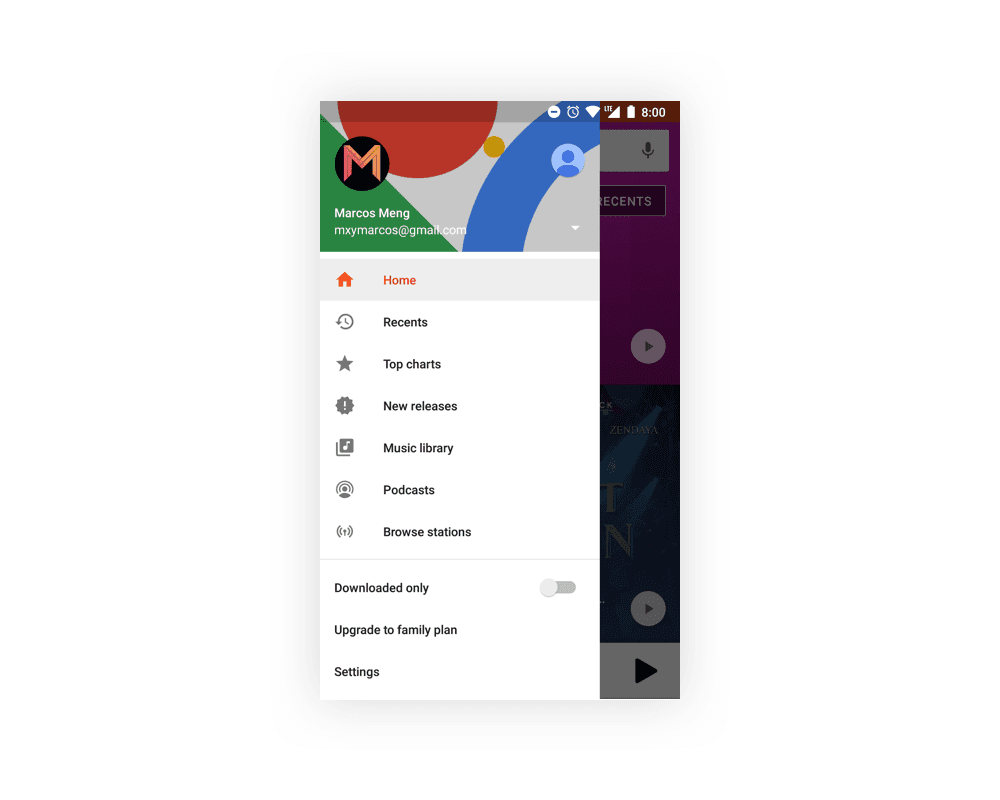

For example:
There’s both a “recent” tab in the drawer and a “recent” button on the homepage—redundancy without added value.
Music discovery is limited to just “top charts” and “new releases.”
Adding a song to a playlist requires digging into a three-dot hidden menu, making one of the most essential features unnecessarily inaccessible.
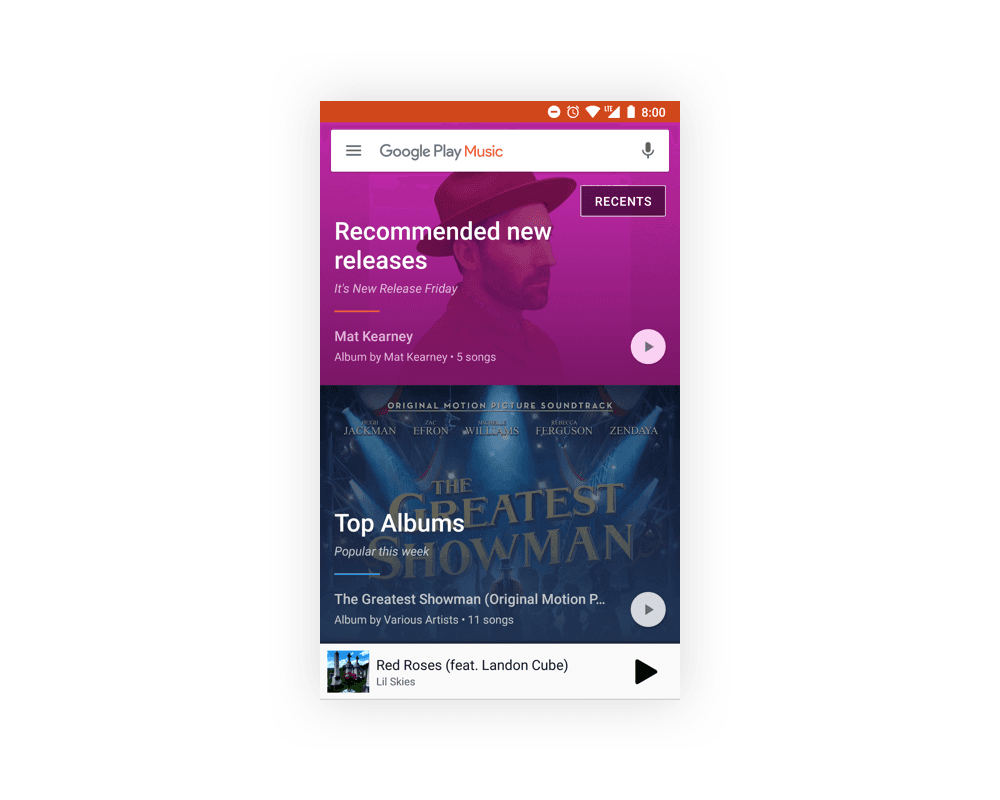
The refreshed home screen looks nicer, but it sacrifices usability. With less information per page and no grouping, finding playlists becomes time-consuming and frustrating.
Google failed to differentiate Play Music.

At its core, Google Play Music feels like a Spotify copy—without any clear reason to switch. That’s a missed opportunity because it does have unique features:
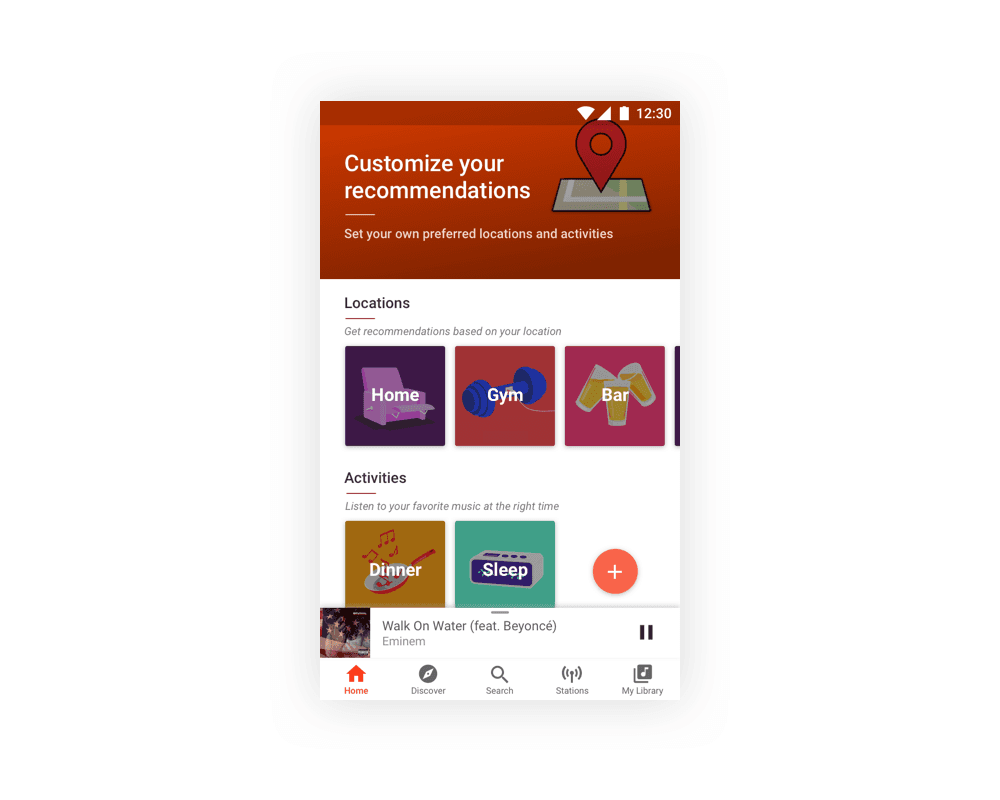
Location-based recommendations could be a differentiator, but customization is almost nonexistent.
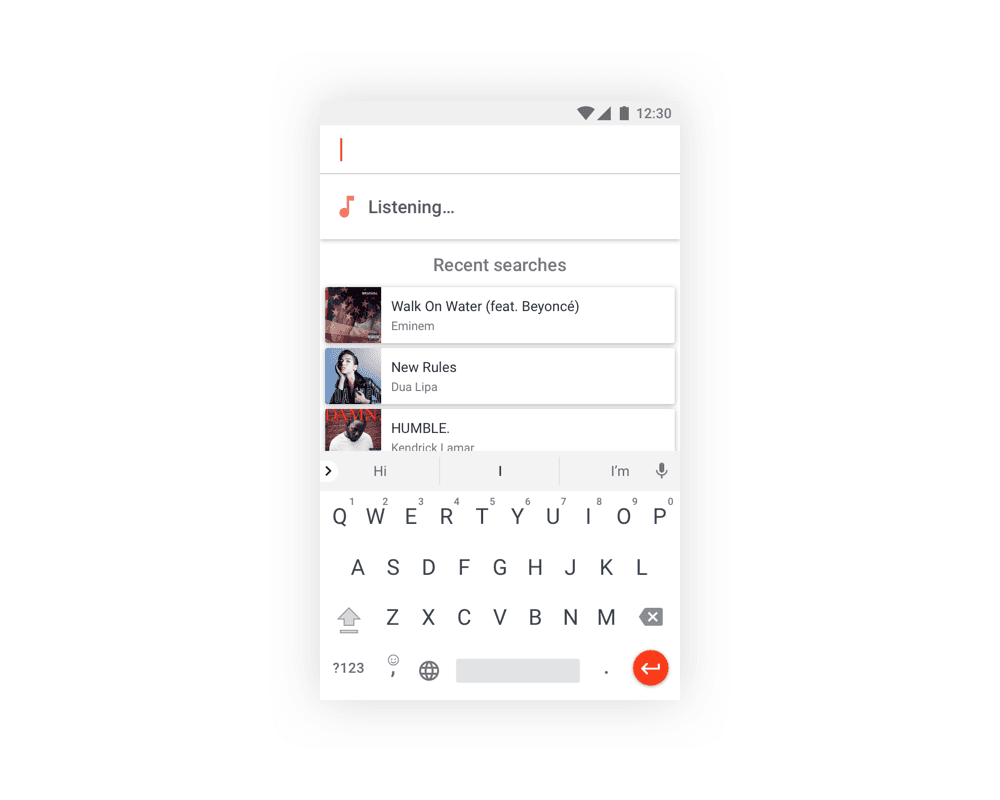
Built-in music identification is handy, but it’s buried behind two clicks in the search bar.
These features should be at the forefront, not hidden.

Google Play Music Revamp
Usability should come before aesthetics. A beautiful interface doesn’t matter if the product is frustrating to use. In my redesign, I prioritized accessibility of Play Music’s unique features, even if it meant sacrificing some visual polish. The goal: a product that’s more impressive to use than to look at.
Key changes:
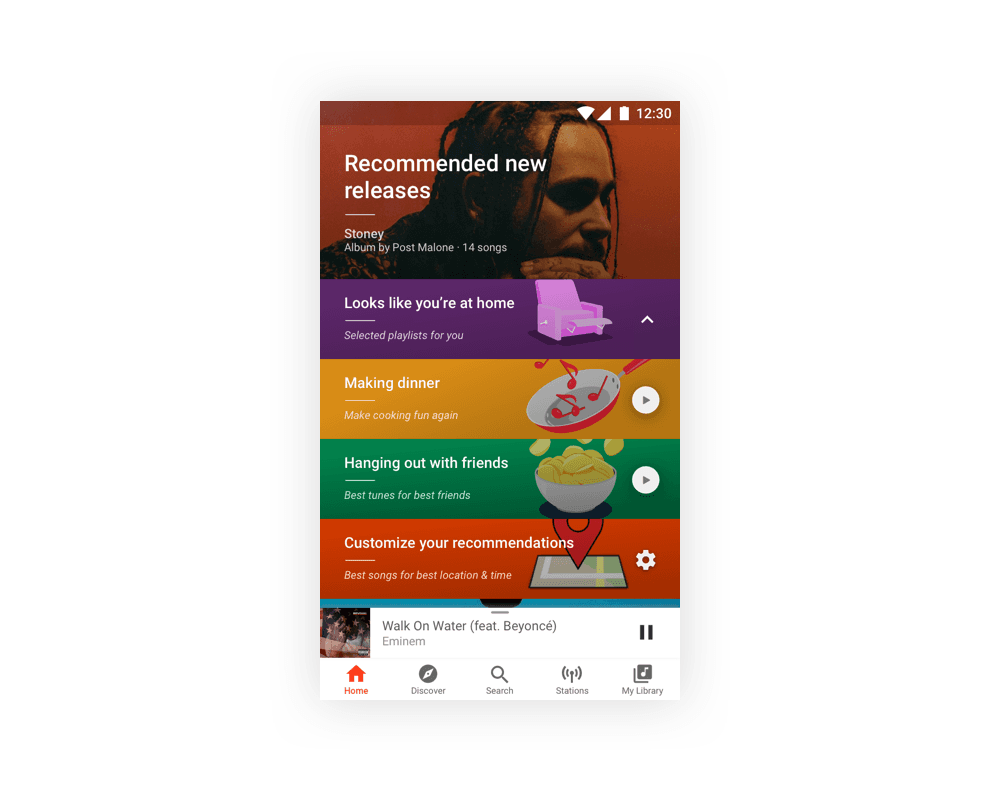
A condensed home screen with a bottom navigation bar.
Location-based recommendations grouped together—no endless scrolling, just one tap away.
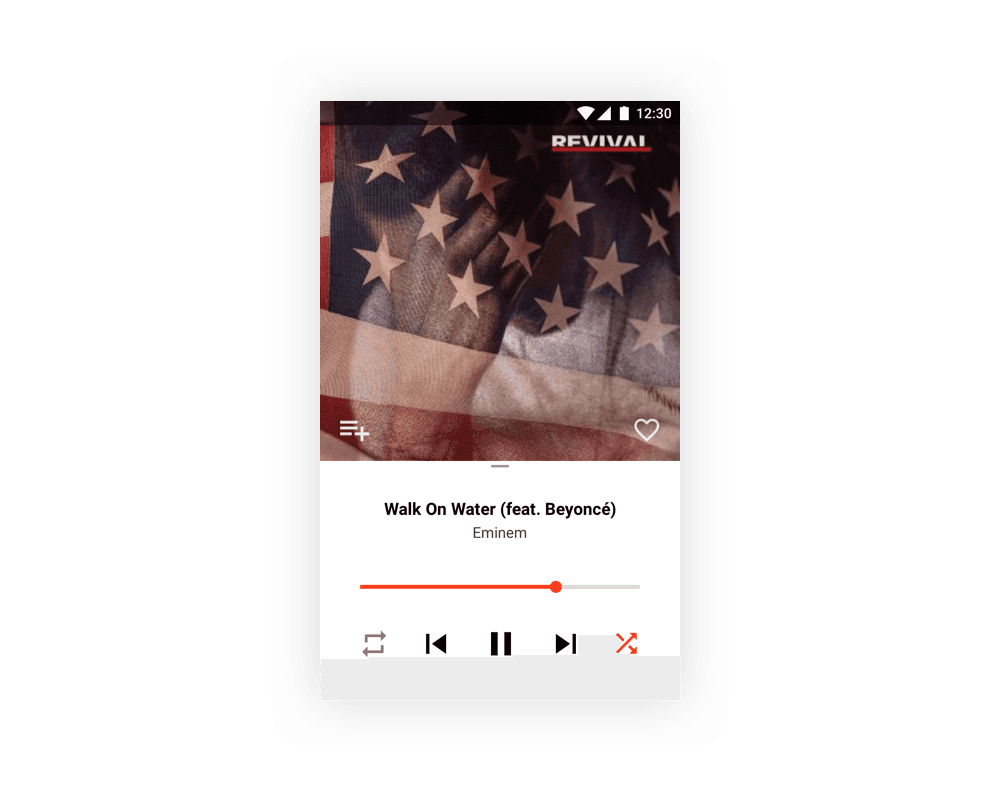
A dedicated button to add songs to playlists directly from the “Now Playing” page.
A pull tab on the “Now Playing” bar to clearly indicate expandability.
Expanded location settings: beyond just “home” and “work,” users can now add custom locations and activities tied to time of day.
A simplified menu for easier access.
A revamped “Now Listening” feature that automatically starts music recognition when you tap the search button.





By elevating its unique features and focusing on usability, Google Play Music could carve out a distinct identity instead of blending into the crowd.