
IU Mobile Revamp (Part II)
Mar 6, 2018
Cards vs. Lists
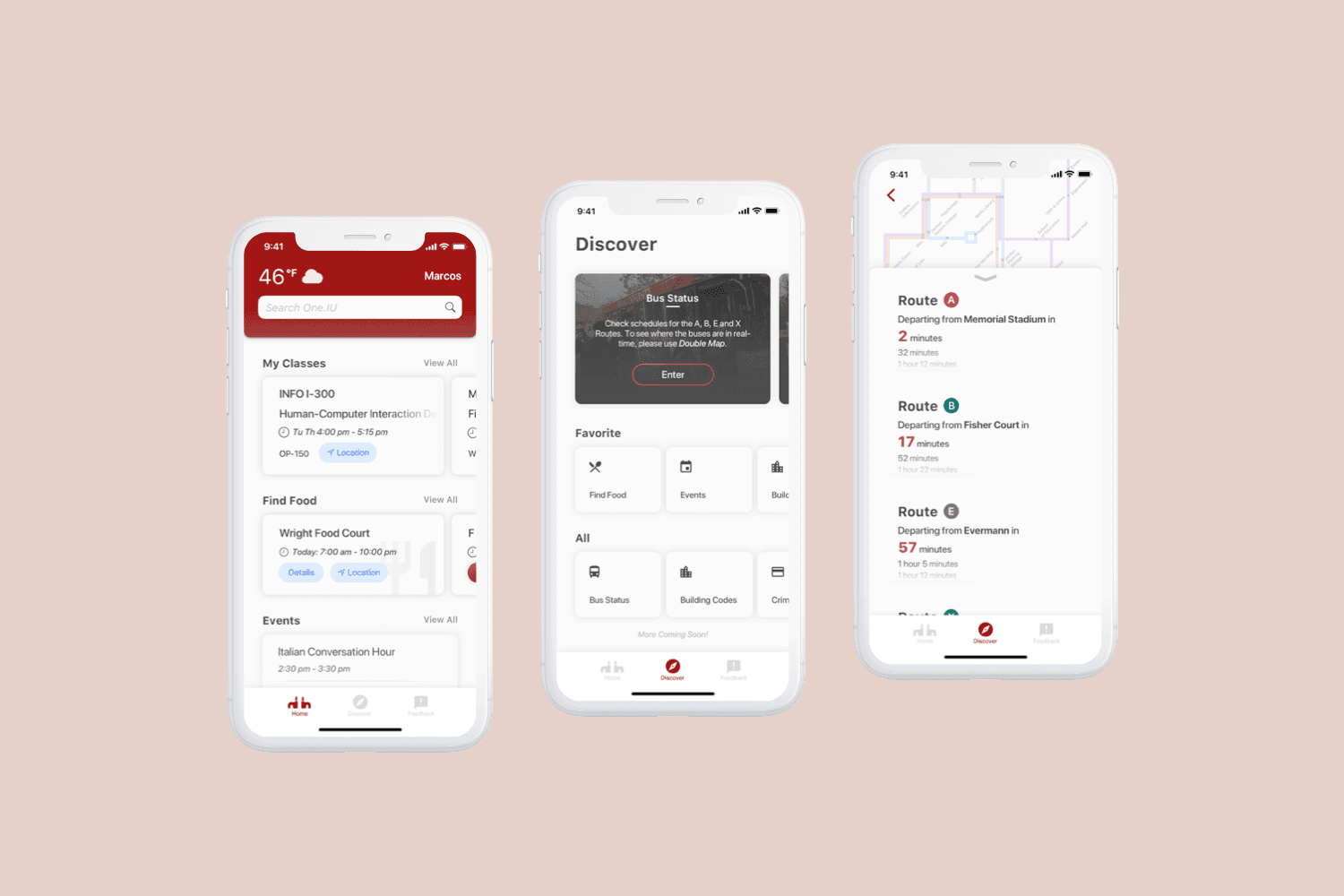
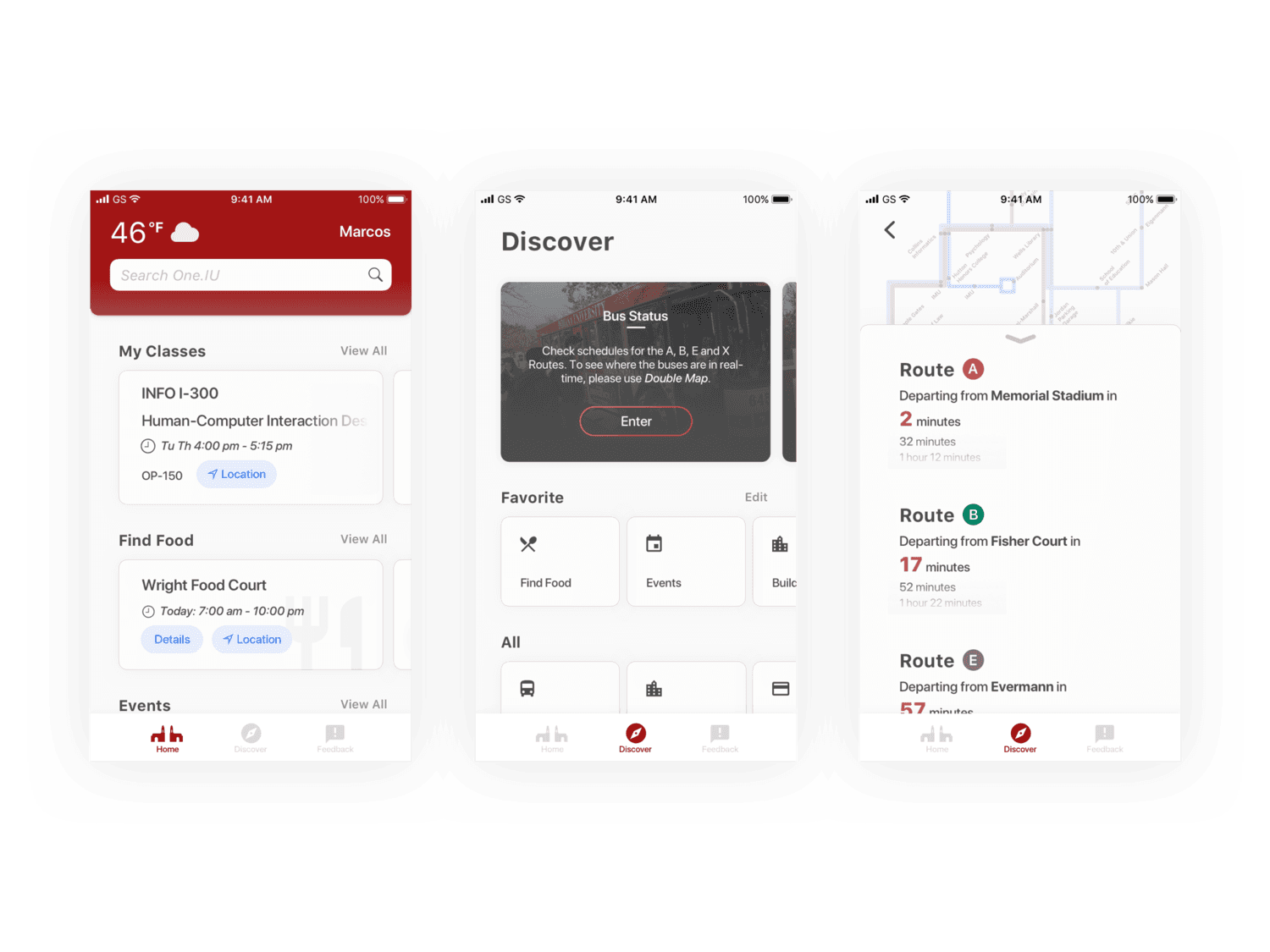
I ran into the age-old debate of cards vs. lists design right away. The homepage displays two of the most frequently used features by IU students: class schedules and dining information. Lists are great for handling large amounts of data, but should we use them over cards here? What are we sacrificing?

According to IU Dining, there are 30 dining locations on campus, including cafés and convenience stores. An unsorted, gigantic list of dining locations would overwhelm users, while endlessly swiping through cards would feel just as frustrating. In this case, a location-aware design offers a smarter alternative.
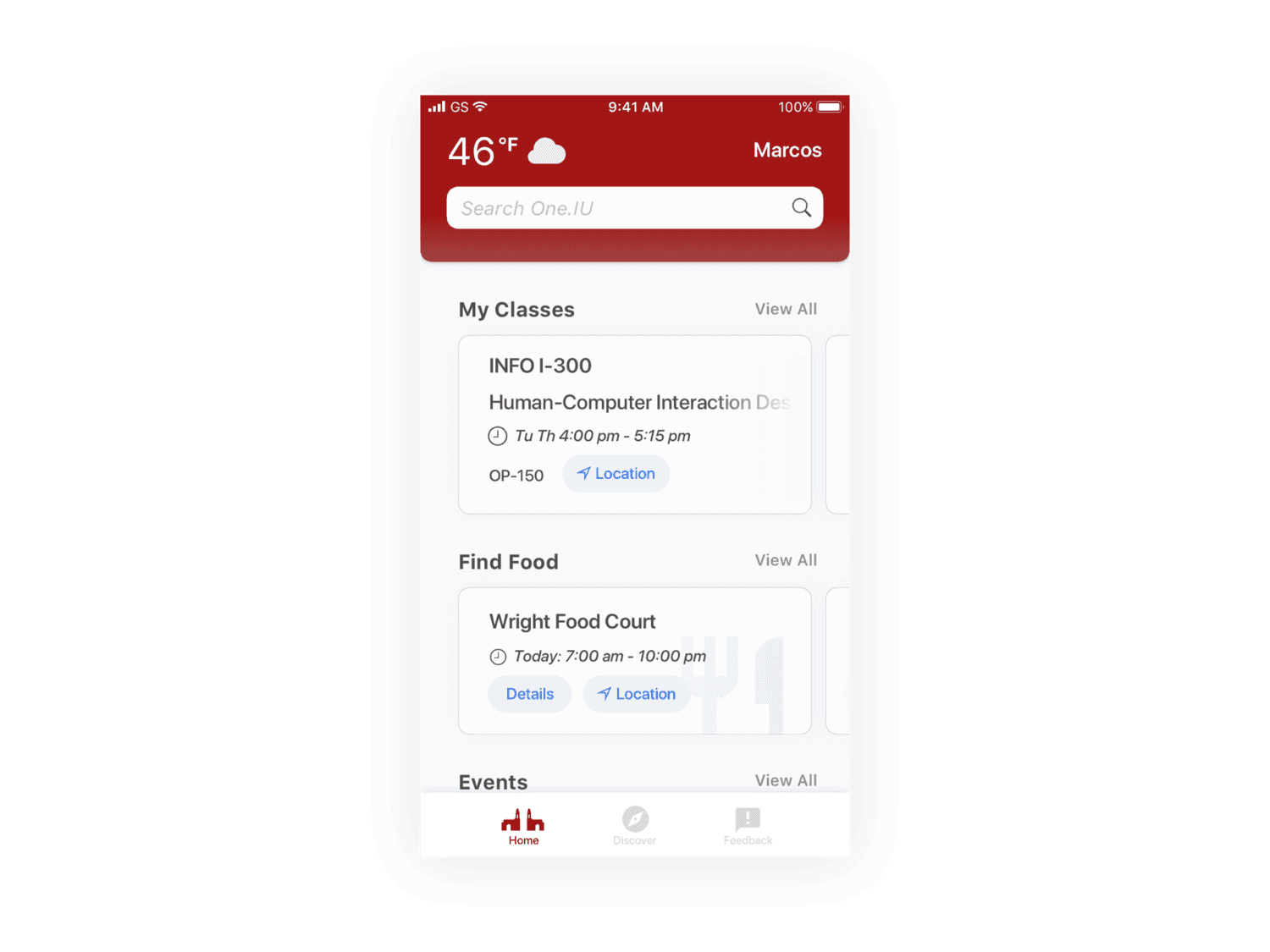
This section highlights the nearest dining locations and their opening hours. Users can tap “View All” to browse the complete list when needed. To make scanning easier, each card has a subtle watermark that indicates the type of dining location at a glance.
Feedback System Design
Feedback forms are a standard feature for most websites and apps—but not all feedback forms are equally effective.
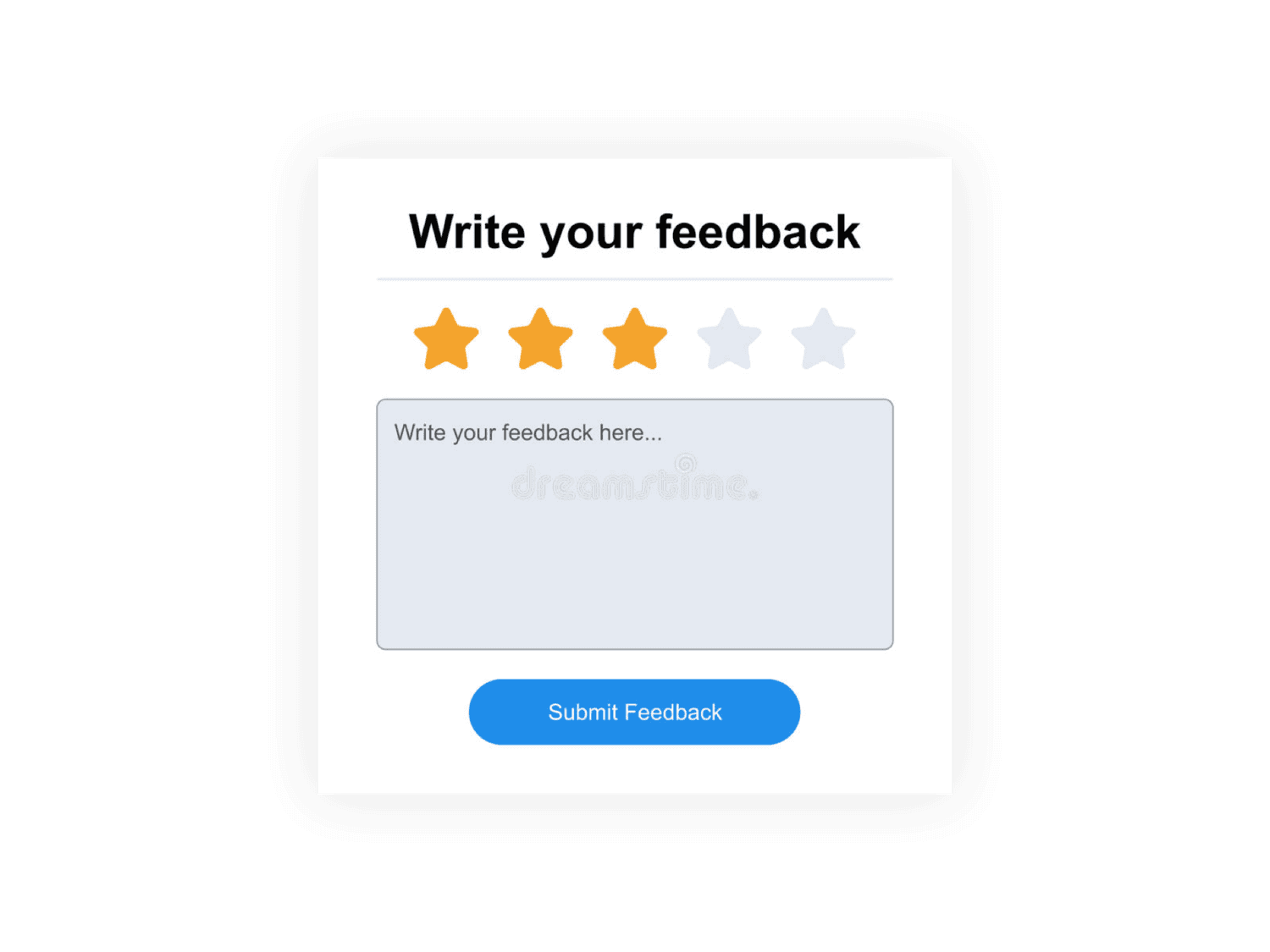
A completely open form gives users freedom, but it often leads to vague input that’s less actionable for developers. To balance both sides, I designed a form structured around two simple prompts:
“I really like…” → encourages users to share their favorite features.
“I wish I could…” → invites suggestions for improvement.
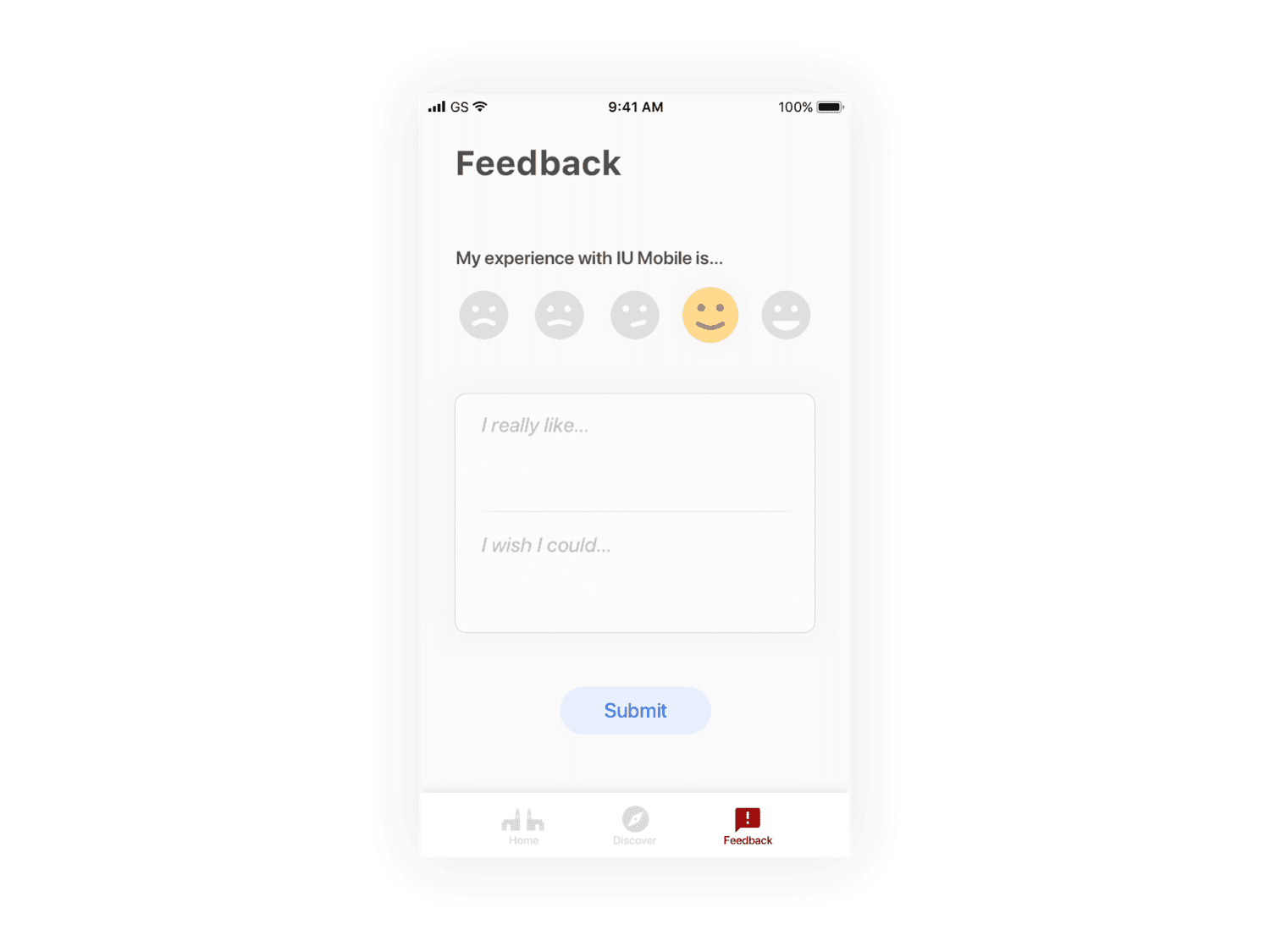
Since IU Mobile’s first release would only be a demo with half-baked features, feedback from “I wish I could…” would be particularly valuable for shaping the final product. To increase visibility, the form even has its own tab, making it easier for testers to share thoughts.
Going Against the Guidelines?

Card designs with heavy drop shadows have been a trend for years, and for good reason. Shadows suggest depth—implying cards can be expanded, moved, or interacted with. Both Apple and Google encourage designers to use depth thoughtfully.
But too often, shadows are overused, which creates confusion. Elevated cards are usually interpreted as interactive elements, yet on the IU Mobile homepage, cards are simply containers for grouped information. The only truly interactive elements are the labeled buttons.
To avoid misleading users, I added borders and reduced shadows so these cards no longer appear “clickable.” On the Discover page, however, cards are interactive, so I kept a flatter design to maintain clarity.
Accessible colors
Designers often face limitations with color, and in this case, IU’s official Crimson Red had to be the primary color. That left us with only secondary colors as creative space.
I chose light blue for two reasons:
It complements the bold crimson red.
It maintains consistency for users with color vision deficiencies.

For example:
Normal vision
Deuteranopia (affecting ~6% of the population)
Protanopia (affecting ~1% of the population)
Across these variations, the distinction remains clear, ensuring accessibility without compromising IU’s brand identity.